
What Is Headless WordPress?
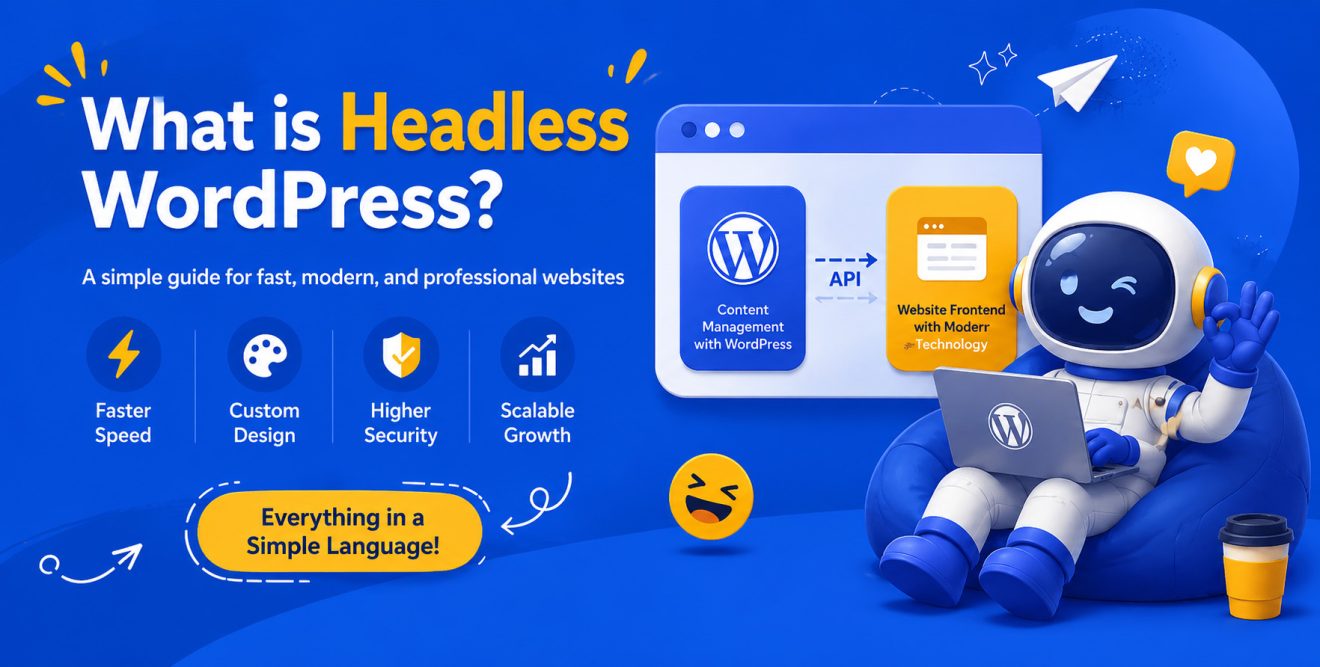
Headless WordPress means using WordPress only for content management, not for displaying the website’s front end.
In the traditional setup, WordPress is both the content management system and the platform that displays the website to users. This means you add articles, products, pages, images, and categories inside the WordPress dashboard, and WordPress itself shows them to visitors.
But in the headless approach, these two parts are separated.
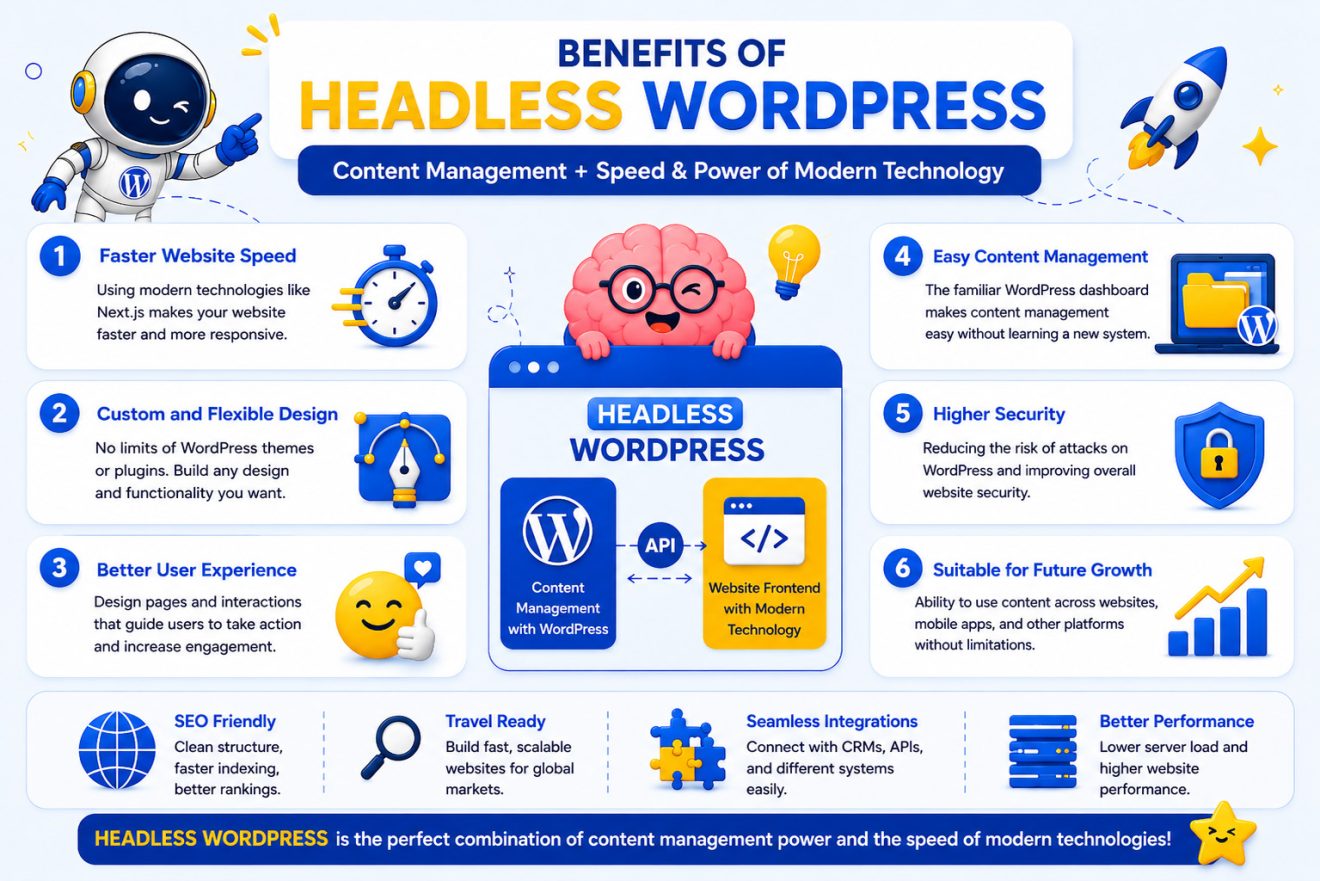
In this model, WordPress acts as the content management panel, while the website’s front end is built with more modern technologies such as Next.js, React, or similar tools. The connection between WordPress and the front end is usually handled through an API. In simple terms, an API is a communication path between two software systems; it allows one system to receive and display information from another system.
A Simple Example to Understand Headless WordPress
Imagine your website is like a store.
In this example, WordPress works like the warehouse and management office of the store. Inside it, you store products, articles, images, and different types of information.
But the website’s front end, meaning what users actually see, is like the storefront.
In a traditional WordPress website, both the warehouse and the storefront are built with WordPress. But in Headless WordPress, the warehouse is still WordPress, while the storefront is designed with a faster, more modern, and more customized technology.
The result is that the website manager can still work with the familiar WordPress dashboard, while users experience a faster, more beautiful, and more professional website.
Why Is It Called Headless?
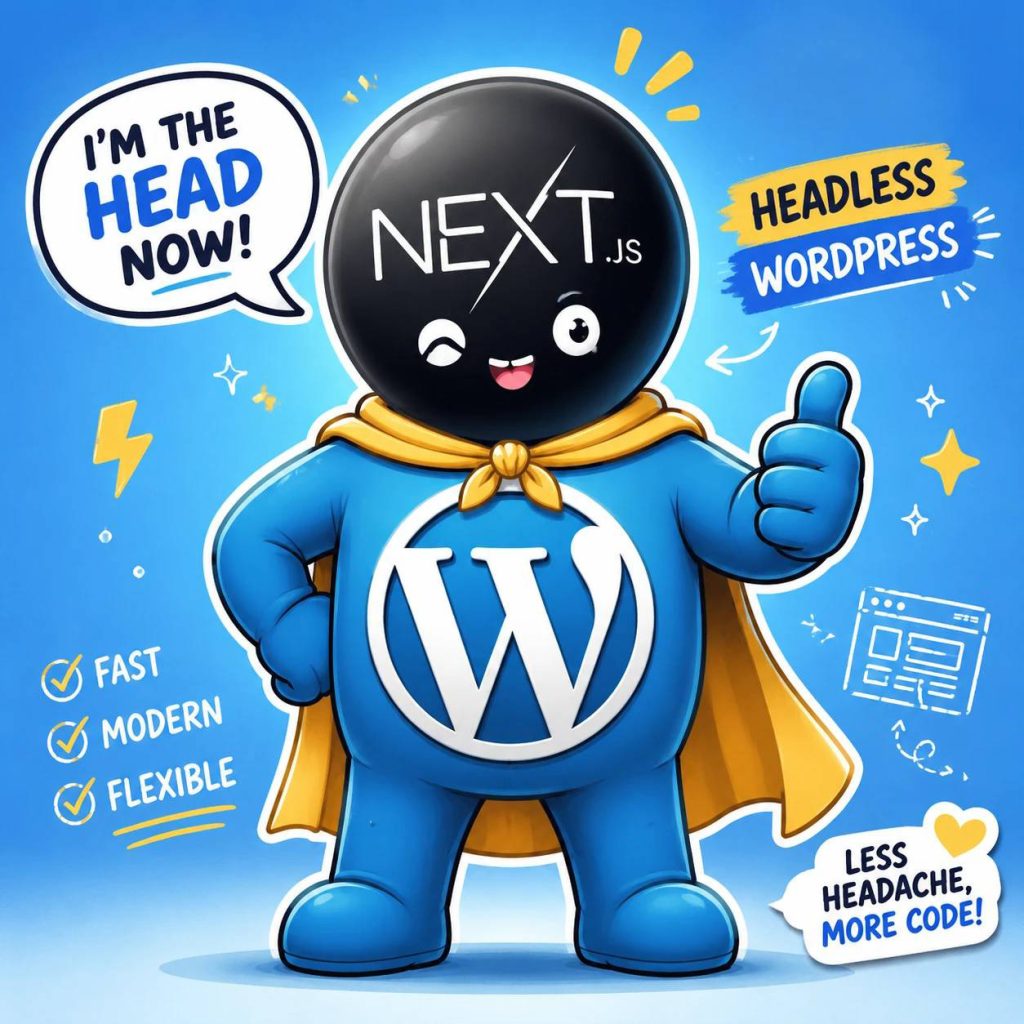
The word Headless literally means “without a head.”
In the web world, the “head” refers to the presentation layer of a website; the design, pages, buttons, menus, and everything users see in their browser.
When we say WordPress has become headless, it means the website’s display layer has been separated from WordPress. WordPress is no longer responsible for the front end; it only manages the content and provides that content to the front-end layer.
The Difference Between Traditional WordPress and Headless WordPress
In traditional WordPress, everything happens inside one system. You add content in WordPress, and WordPress also displays the website’s design.
But in Headless WordPress, WordPress only works behind the scenes. The website’s front end is designed and developed separately.
In simple terms:
| Comparison Item | Traditional WordPress | Headless WordPress |
|---|---|---|
| Content Management | With WordPress | With WordPress |
| Website Front End | With a WordPress theme | With a separate technology like Next.js |
| Speed and Flexibility | Depends on themes and plugins | More optimization and development flexibility |
| Custom Design | More limited | Much more flexible |
| Implementation Cost | Usually lower | Usually higher |
| Best For | Simpler websites | Professional, fast, and scalable websites |
What Are the Benefits of Headless WordPress?
1. Higher Website Speed
One of the most important benefits of Headless WordPress is the ability to build faster websites.
When the front end is built with technologies like Next.js, pages can be delivered to users in a lighter, more optimized, and faster way. Next.js is generally known for building React applications and websites using methods such as server-side rendering and static page generation; these features can help improve page loading experience.
Website speed is very important for users. When someone enters a website, they do not want to wait several seconds for the page to load. If the website is slow, users are more likely to leave.
For businesses, this means losing visitors, customers, and even sales.
2. More Custom and Professional Design
In traditional WordPress, many websites are built using ready-made themes. These themes can sometimes be useful, but they do not always meet the needs of a professional brand.
In Headless WordPress, the website’s front end can be fully custom-designed. This means your website does not have to look like dozens of other websites.
The homepage, service pages, product pages, blog, forms, user panels, and purchase journey can be designed exactly based on your business needs and user behavior.
This is especially important for brands that want to present a more professional image.
3. Better User Experience
User experience means how easily users can find their way around your website, read the information they need, and eventually take action; for example, make a purchase, fill out a form, or request a consultation.
Headless WordPress makes it possible to design the website more precisely around the user journey.
For example, on an e-commerce website, the product page can be designed so that important information, images, specifications, the purchase button, and related suggestions are placed in the right positions.
On a corporate website, users can also be guided from service introduction to portfolio, trust-building, and finally contacting the company.
4. Easy Content Management with WordPress
One of the reasons WordPress is so popular is its simple and familiar admin dashboard.
The good news is that this benefit does not disappear in Headless WordPress.
This means the website manager can still publish articles, create pages, upload images, create categories, and manage website content, just like before.
The main difference is that the website’s front end is separated from WordPress and displayed using more modern tools.
So Headless WordPress combines two important advantages:
The simplicity of WordPress content management
and
The power of modern front-end design and development
5. Suitable for Future Growth
Many businesses only need a website at the beginning, but after a while, they develop new needs.
For example, they may want to launch a mobile app, build a customer panel, create a multilingual website, or display website information across different platforms.
In Headless WordPress, because content is separated from the front end, future development becomes easier. The same content stored in WordPress can be used on the website, mobile app, user panel, or other sections.
This is very important for businesses with a long-term growth mindset.
Who Is Headless WordPress Suitable For?
Headless WordPress is not necessary for every website. But for some projects, it can be a very smart choice.
Professional Corporate Websites
If your company wants a unique, fast, and different website, Headless WordPress can be a good option.
In this model, the website is not just a simple introduction page; it can become a serious tool for attracting customers, presenting services, and building trust.
E-commerce Websites
An online store needs speed, a smooth shopping experience, and precise design.
If the product page is slow, the checkout process is difficult, or the website design does not build trust, users may abandon their purchase halfway.
Headless WordPress can be suitable for stores that want to offer a faster and more professional shopping experience.
Startups and Growing Businesses
Startups usually need to grow quickly and develop their digital product.
Headless WordPress is attractive for these types of projects because content, website design, and technical sections can be managed more flexibly.
If you have a website today and want to add a mobile app, user panel, or new features tomorrow, a headless architecture can make the development path easier.
Brands That Want Custom Design
If the appearance of your website matters to your brand and you do not want your site to look like a ready-made theme, Headless WordPress is a suitable choice.
This method gives the design and development team more freedom to design the website exactly according to the brand identity, market needs, and user behavior.
Content and Media Websites
Websites that produce a lot of content need an organized content structure, high speed, and a good reading experience.
In Headless WordPress, the content team can use the WordPress dashboard, while the technical team can build a more optimized and professional front end.
Who Is Headless WordPress Not Suitable For?
Despite its many advantages, Headless WordPress is not always the best choice.
If you want a very simple website, have a limited budget, or do not need special features, traditional WordPress is probably enough for you. Headless WordPress also usually requires a more professional technical team because the front end is built separately from WordPress, and the connection between the two parts must be implemented correctly. So before choosing this method, the project needs, budget, business goals, and future growth plan should be reviewed.
Is Headless WordPress Good for SEO?
Yes, Headless WordPress can be very suitable for SEO; but only under one important condition: it must be implemented correctly. In a headless project, the technical team can have more control over important factors such as website speed, page structure, meta tags, internal linking, schema markup, mobile version, and user experience. However, if implementation is not done correctly, issues such as pages not being indexed, incorrect meta tag display, weak link structure, or slow parts of the website may occur. Therefore, Headless WordPress by itself is not an SEO miracle. What matters is proper implementation by a team that understands both web development and SEO principles in website design.
What Is the Role of Next.js in Headless WordPress?
In many Headless WordPress projects, Next.js is used to build the website’s front end.
WordPress manages the content, and Next.js displays that content to users as fast, beautiful, and interactive pages.
This combination is suitable for websites that want both the simple content management of WordPress and a step forward in terms of speed, design, and user experience.
In simple terms:
WordPress = content management system
Next.js = fast and modern website front end
How Does Security Work in Headless WordPress?
In Headless WordPress, because the front end is separated from the admin panel, a more secure structure can be designed.
Of course, this does not mean automatic or complete security. Security still depends on implementation quality, server settings, access management, updates, plugins, and following technical standards.
But in a headless architecture, there is more control over different parts of the system, and access for regular users to the WordPress admin area can be more restricted.
For businesses that care about security and stability, this can be an important advantage.
Disadvantages and Challenges of Headless WordPress
To make a better decision, you should also know the challenges of Headless WordPress.
Higher Cost Compared to Traditional WordPress
Designing a headless website is usually more expensive than a simple WordPress website because, in addition to WordPress, a separate front-end layer must also be designed and developed.
Need for a More Professional Technical Team
In traditional WordPress, many tasks are handled with themes and plugins. But in Headless WordPress, custom development plays a much bigger role.
More Specialized Maintenance
Because the website consists of two main parts, its maintenance also requires more care. Both WordPress and the front-end part of the website must be managed properly.
Not Suitable for Very Simple Projects
If you only want a simple, affordable, and quick website for basic introduction, Headless WordPress may be more than what you need.
How Much Does Headless WordPress Website Design Cost?
The cost of designing a Headless WordPress website is not fixed. The final price depends on the project requirements.
Factors that affect the cost include:
- Number of website pages
- Custom or semi-custom design
- WooCommerce integration
- User panel availability
- Multilingual website setup
- Search and filter features
- SEO optimization level
- Integration with other services and APIs
- Need for custom UI/UX design
- Required security and infrastructure level
For this reason, before providing a price, it is better to review the business needs and then suggest the best solution.
When Is Headless WordPress the Right Choice?
Headless WordPress is a good choice when you do not just want a simple website, but are looking for a more professional platform for online growth. If website speed, custom design, SEO, future development, user experience, and branding matter to you, Headless WordPress can be a very suitable option. But if your project is simple and you only want an initial online presence at a low cost, traditional WordPress may be the more logical choice.
Why Should Headless WordPress Be Implemented by a Professional Team?
Headless WordPress is not just about installing WordPress and designing a few pages.
In this type of project, the website architecture must be designed correctly, APIs must be implemented properly, pages must be understandable for search engines, website speed must be optimized, and user experience must be shaped correctly.
If these points are not considered, you may end up with a website that looks beautiful but has problems with SEO, speed, or content management.
That is why choosing a team that understands WordPress, modern front-end development, and SEO principles is very important.
How Can Nexbay Help with Headless WordPress Website Design?
At Nexbay, the goal is not just to design a beautiful website; it is to build a website that works for your business growth. If your business needs a fast, modern, scalable, and professional website, Headless WordPress can be one of the suitable options. The Nexbay team can review your needs and determine whether Headless WordPress is the right choice for your project, or whether traditional WordPress or another solution would be better. This means the right path is selected before the project starts; not simply the most complex or most expensive path.
Conclusion: Is Headless WordPress Right for You?
Headless WordPress is a modern approach to website design in which WordPress is used for content management, while the website’s front end is built with newer technologies.
This method is suitable for businesses that care about speed, custom design, user experience, SEO, and future development.
But for very simple websites or projects with a limited budget, it is not always the best option.
If you want to know whether Headless WordPress is suitable for your business, it is better to first review your website needs, business goals, and future growth plan.
Nexbay can help you choose the best option between traditional WordPress, Headless WordPress, and other modern solutions.
Frequently Asked Questions About Headless WordPress
Headless WordPress means using WordPress only as a content management system, while the website frontend is built separately with modern technologies such as Next.js or React.
Not always. Headless WordPress is better for projects that need higher speed, custom design, scalability, and a modern user experience. For simple websites, traditional WordPress may be enough.
Yes, Headless WordPress can be good for SEO if it is implemented correctly. Page speed, metadata, internal links, schema markup, and proper rendering must be handled carefully.
It can help improve website speed, especially when the frontend is built with optimized technologies like Next.js. However, final performance depends on the quality of implementation, hosting, caching, and website structure.
Headless WordPress is suitable for businesses that need a fast, custom, scalable, and professional website. It is often a good choice for corporate websites, e-commerce platforms, startups, and content-heavy websites.
It depends on the project. If the website is simple and has a limited budget, traditional WordPress may be more practical. But if the business needs custom design, speed, and future scalability, Headless WordPress can be a strong option.